
Download 2012 12 Month Basic Calendar – Free Printable Word Calendar Template
Overview
The 2012 12 Month Basic Calendar is a versatile Microsoft Word 2010 template designed for anyone who wants a quick, printable calendar for the year 2012—or any other year with a few clicks. Built with simplicity in mind, this template generates a full‑year layout where each month appears on its own page, ready for personal customization. Whether you’re a home organizer, a small‑business owner, or a teacher looking to post dates on a classroom wall, this calendar gives you a clean, professional canvas that you can tailor with colors, fonts, and personal events.
The template works by automatically filling the days for the selected year, so you never have to count weeks or worry about leap years. Once the months are generated, you can apply a range of built‑in themes, add your own holidays, birthdays, or project milestones, and print the final product on standard letter‑size paper. Because it is a native Word document, you benefit from the familiar editing environment, the ability to edit on both Windows and macOS, and the option to keep a digital copy for future reference.
The 2012 12 Month Basic Calendar is free to download, secure, and requires no additional software beyond Microsoft Word, making it an ideal solution for anyone seeking an instant, printable calendar without the hassle of online tools or subscription services.
Key Features
- Automatic date generation for any year – simply select “New Dates” to switch from 2012 to any other year.
- Pre‑designed monthly pages with space for notes, appointments, and custom events.
- Multiple built‑in Themes and color schemes accessible via the Calendar tab.
- Full compatibility with Microsoft Word 2010, 2013, 2016, 2019, and Microsoft 365.
- Editable text fields – add holidays, birthdays, or project deadlines directly in Word.
- Print‑ready layout optimized for standard Letter (8.5" x 11") paper.
- Supports both portrait and landscape orientations for flexible wall‑hanging options.
- Lightweight file size – quick download and fast opening on any modern computer.
- Free and secure – no hidden fees, no registration required.
- Cross‑platform usability – works on Windows and macOS versions of Word.
Installation & Usage Instructions
Getting started with the 2012 12 Month Basic Calendar is straightforward. Follow these steps to download, install, and personalize your printable calendar:
- Download the template: Click the “Download” button on the product page. The file is a
.dotxWord template, typically less than 500 KB. - Open the file in Microsoft Word: Double‑click the downloaded file. Word will open a new document based on the template, preserving the original file for future use.
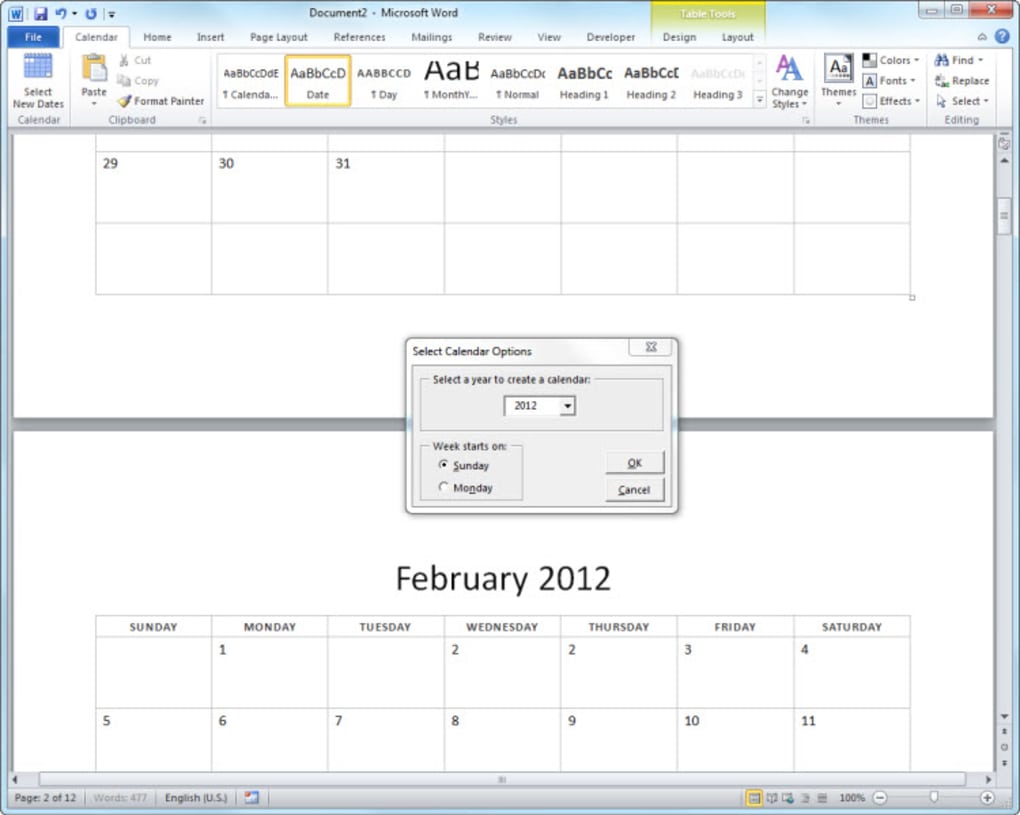
- Select the desired year: Navigate to the Calendar tab on the ribbon, then click Select New Dates. Choose any year from the dropdown calendar; the template will instantly regenerate all 12 months for the selected year.
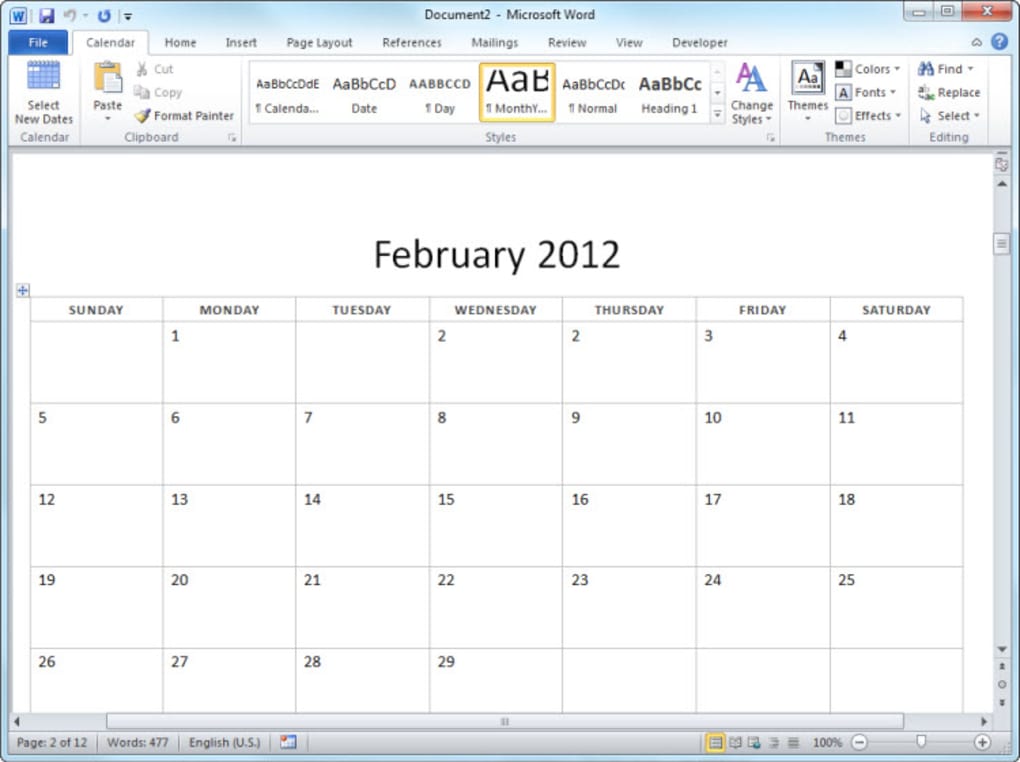
- Apply a theme: Still under the Calendar tab, click Themes. Browse through the thumbnail previews and click the one you prefer. The theme changes fonts, colors, and header styles across all months.
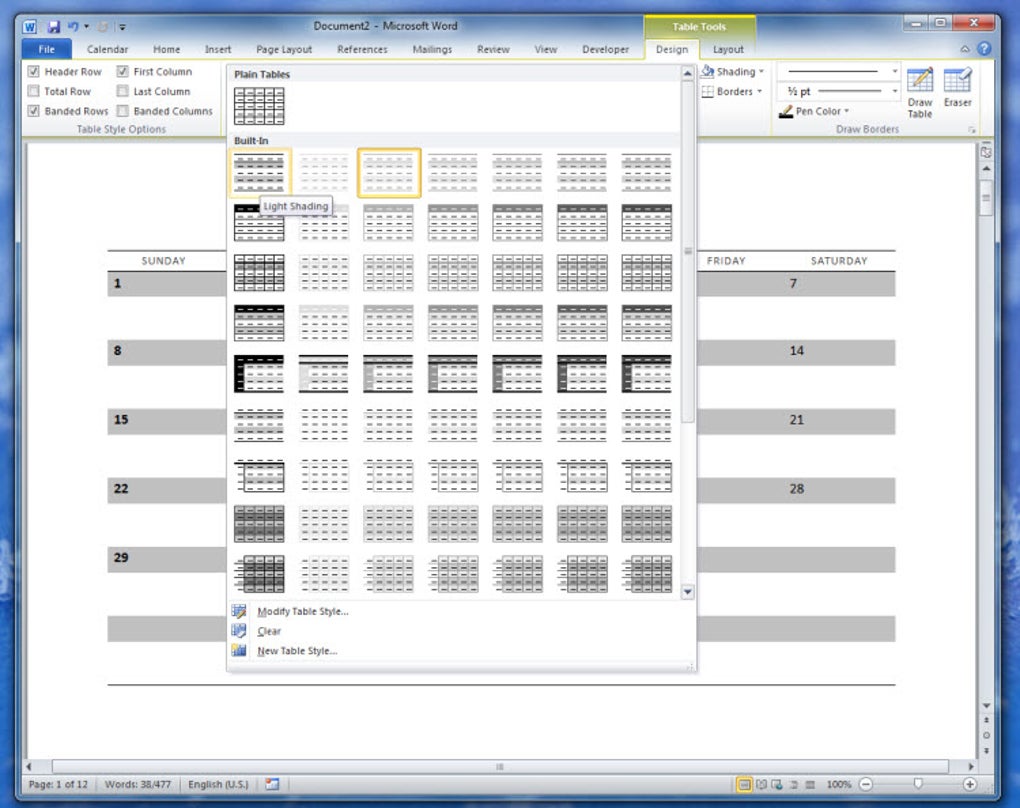
- Enter personal dates: Click any day cell and type directly. You can add holiday names, appointment details, or color‑code cells by changing the font color or using Word’s shading options.
- Adjust layout if needed: Use Word’s standard formatting tools—adjust margins, change page orientation, or insert images (e.g., a family photo on the cover page).
- Print the calendar: Go to File → Print. Choose “Letter” size, select “Print on Both Sides” if you want a double‑sided version, and hit “Print.” For best results, use a quality printer and heavier paper stock for a durable wall calendar.
- Save for future use: Save the customized calendar as a regular Word document (
.docx) or export to PDF for easy sharing.
Because the template relies solely on Microsoft Word, there is no additional installation required beyond having Word installed. The process is designed to be intuitive even for users with limited experience in document editing, ensuring a quick turnaround from download to a finished, printable calendar.
Compatibility, Pros & Cons
Supported Operating Systems: Windows 7, 8, 10, 11 (any version with Microsoft Word 2010 or later) and macOS 10.12 Sierra or later (with Microsoft Word for Mac). The template does not require any plugins, making it a lightweight solution for both PC and Mac users.
Pros
- Completely free – no hidden costs or subscription fees.
- Fast setup – calendar is generated automatically after selecting a year.
- Highly customizable – themes, colors, and text can be edited directly in Word.
- Print‑ready – pages are pre‑formatted for standard paper sizes.
- Cross‑platform – works on both Windows and macOS versions of Word.
- Lightweight file size ensures quick download and minimal storage usage.
- No internet connection required after download, preserving privacy.
Cons
- Requires Microsoft Word – not suitable for users without the software.
- Limited to static layouts; dynamic calendar features (e.g., reminders) are not included.
- Design options are confined to the built‑in themes; advanced graphic design requires extra effort.
- Only supports Letter‑size paper by default; other sizes need manual adjustment.
- No mobile app version – editing must be done on a desktop or laptop.
Overall, the 2012 12 Month Basic Calendar delivers exactly what its name promises: a fast, free, and fully editable printable calendar. Its simplicity is its greatest strength, allowing users to produce a professional‑looking calendar in minutes without learning new software. While power users might miss advanced features, the template’s low‑cost approach and seamless Word integration make it an excellent choice for everyday scheduling needs.
Frequently Asked Questions
Can I use the template with Microsoft Office 365?
Yes. The template is compatible with all recent versions of Microsoft Word, including Office 365, Word 2019, and Word 2021 on both Windows and macOS.Is the calendar printable on A4 paper?
By default the layout is set for US Letter size, but you can easily change the page size to A4 in the Page Setup dialog before printing.Do I need an internet connection to use the calendar after download?
No. Once the template is downloaded, all functionality is offline. You can edit, customize, and print without any further internet access.Can I add my own images or logos to the calendar?
Absolutely. Because the file is a standard Word document, you can insert pictures, logos, or decorative elements using Word’s Insert > Pictures feature.Is there a way to create a calendar for a future year, like 2025?
Yes. Click the “Select New Dates” button on the Calendar tab, choose any year you need, and the template will automatically generate the correct dates, including leap‑year adjustments.Conclusion & Call to Action
The 2012 12 Month Basic Calendar stands out as a reliable, free, and secure solution for anyone who wants a printable calendar without the overhead of subscription services or complex web tools. Its integration with Microsoft Word ensures a familiar editing environment, while the built‑in themes and easy date‑switching make personalization a breeze. Whether you’re planning family events, scheduling business meetings, or simply need a visual reminder on your wall, this template gives you the flexibility to create a calendar that fits your style and needs. Download the template now, customize it within minutes, and enjoy a year‑long planning companion that you can print, hang, or share digitally. Take advantage of the free, secure, and instantly usable calendar today—your organized year starts with a single click.







